
Module: Proposals

Proposals and cost estimates

A proposal built from sections and items, which the client accepts online without an account and you turn into tasks or a project.

This area comes with a module you switch on when you need it.

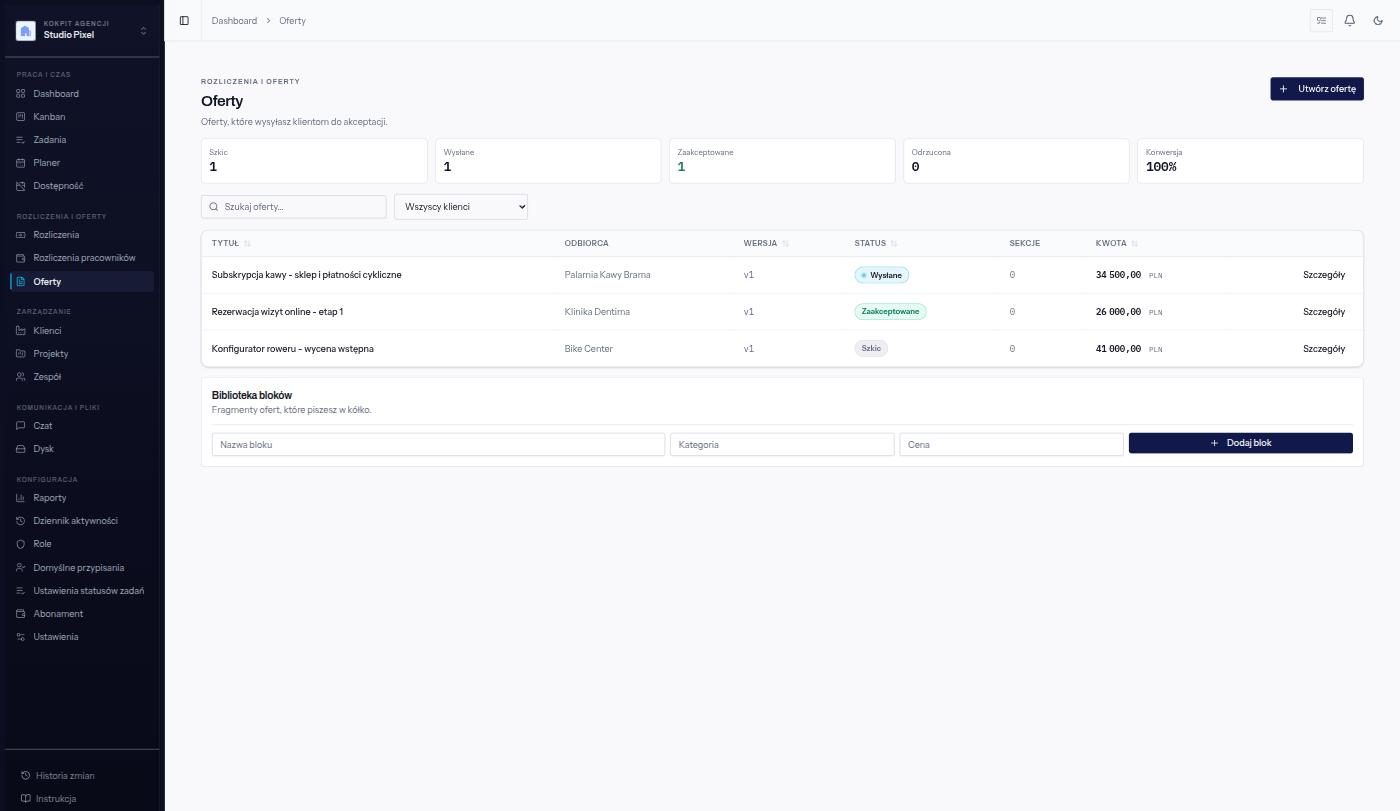
List of proposals in Yuteki: a draft, a sent and an accepted proposal, with the recipient, version, amount and a conversion counter.
A view from the application. The data in the example is fictitious.

A quote that is not just another document

A proposal in Word lives outside the system: after approval someone copies the scope into tasks, and a month later nobody remembers what exactly was included in the price. In Yuteki a proposal consists of descriptive sections and cost estimate items, and once accepted it turns into tasks - or into a project with tasks when you have the Projects module. The scope the client agreed to stays in the system as a point of reference.

Approval without scanning a signature

You send the proposal as a link or straight by email. The recipient opens it in the browser without an account, reads it and accepts it - the system records the moment of the decision and the name of the person who made it. The link has an expiry date and can be withdrawn if the terms have changed.

In short

  • Descriptive sections and cost estimate items in one document.
  • Sent as a link or by email, accepted online without an account, with the date recorded.
  • An accepted proposal turns into tasks, or into a project with tasks with the Projects module.
  • Proposal version history and statuses: draft, sent, accepted, rejected.

What the Proposals module includes

Proposals and cost estimates for clients.

  • Proposals built from sections and price lines
  • A public link where the client accepts or rejects
  • Turning an accepted proposal into tasks, or into a project with the Projects module

Included in the packages: Everything

The platform is under construction

Leave your address and we will write when it is possible to create an account - no newsletter and no weekly reminders.

We value your privacy

Session and form protection mechanisms keep the application working. The optional analytics, marketing and personalisation categories concern tools the operator configures. You can reject or customise them and come back later through "Cookie settings". Details: Cookie policy. This choice does not sign you up for the newsletter.